AVIF or WebP for WordPress in 2027?
Use the format that delivers an acceptably sharp image at the lowest practical cost on your actual website. Test AVIF for large photographs; keep WebP where it gives the better result or fits your existing delivery setup. Neither extension fixes an oversized mobile image, a delayed hero or a broken product zoom. The winner is the file your visitor receives, not the badge in your compression plugin.
This is a planning guide for 2027, prepared in October 2026 using the documented capabilities available now. It does not assume a future WordPress release, a particular plugin feature or an automatic improvement in Google rankings.
If you are choosing a format for a whole catalogue, start with a small, representative sample. One lovely landscape is a poor audition for five thousand product photographs.
A useful comparison starts with the image’s job
A homepage photograph has a different job from a product detail shot. The first needs to establish a mood quickly. The second may need to show the weave of a fabric, the finish on a metal component or a small printed label. Decide what must remain visible before deciding how much you can remove.
AVIF and WebP both offer modern compression options. Their capabilities and limitations differ; the MDN image format guide is a useful technical reference. There is no universal quality number that makes two different encoders equivalent. Treat their sliders as controls to test, rather than a shared unit of measurement.
| Image use | What to compare | What can reject the candidate |
|---|---|---|
| Large photographic hero | AVIF and WebP at the displayed crop | Lost texture, colour shifts or late discovery |
| Product grid | The mobile and desktop thumbnail actually served | Unclear labels, oversized downloads or inconsistent crops |
| Product zoom | A separate close-up at a useful resolution | Missing detail the customer needs to judge the product |
| Interface screenshot | Sharp lettering and fine lines | Blurred text, halos or a heavier replacement |
| Transparent artwork | Edges against the real page background | Visible fringes, incorrect transparency or colour |
Some assets may sensibly stay in their current format. A mixed library with a clear policy is easier to defend than a conversion that makes every filename match and every photograph worse.
Check WordPress support and your hosting separately
WordPress introduced WebP support in 5.8. AVIF support arrived in 6.5 and depends on the server’s image processing support. In Site Health, inspect the Media Handling information. A current WordPress version alone does not prove your server can generate the required AVIF sizes.
Then try one ordinary upload in a controlled copy of the site. Can WordPress create the sizes your theme uses? Does the media editor still work? Can an editor replace the asset without a special rescue procedure? Keep the original file and record the outcome. An accepted upload is one checkpoint; a usable publishing workflow is another.
Ask your host or developer to resolve a missing image-processing capability rather than simply allowing a new extension through the upload filter. File acceptance does not supply a missing encoder. On a multisite network, also check the allowed file types for the particular site.
Browser support is a separate question. Review the browsers your customers use and any embedded views that matter to the business. Do not choose a fallback policy from a global percentage alone. An older purchasing workstation can matter more to a B2B store than thousands of unrelated devices.
How to run a fair AVIF versus WebP test
Choose a small set before opening the compression settings: a light product, a dark product, fine texture, a face, a gradient, a transparent edge and a screenshot with small text. Add an image that editors regularly struggle to upload. This is a proposed test set, not a benchmark we have run on your shop.
- Start from the same best available original. Avoid comparing an AVIF made from a repeatedly compressed WebP with a fresh WebP from the master.
- Match dimensions and crop. Write them down. A smaller image can win on bytes while losing the detail the layout needs.
- Adjust each encoder independently. Compare at acceptable visual quality, rather than forcing the same numerical setting.
- Inspect at the real display size. Also open the product zoom or high-density presentation when that is part of the customer journey.
- Record bytes and exceptions. Include the selected output, visible defects, conversion time and any assets you would leave alone.
Use the same background and viewing conditions for your visual review. Check skin, brand colours, fabric and fine lettering deliberately. Ask the person responsible for the catalogue to approve the detail that influences a purchase. “Looks fine to the developer” is an unusually lonely quality standard.
A spreadsheet can be simple: asset, intended use, dimensions, current bytes, candidate bytes, quality accepted, delivery verified and decision. Leave performance measurements in a separate column. A smaller saved file and a faster rendered page are related questions, but they are not the same measurement.
For the specific case where the supposedly modern replacement is heavier, see why WebP can be larger than the original JPEG. That guide diagnoses the existing conversion; this one helps you select the next delivery policy.
Confirm what the browser actually downloads
After the visual sample passes, inspect a real page on a narrow and a wide viewport. In the browser’s Network panel, identify the image request selected for the visible element. Record its URL, content type, dimensions and transferred size. Check a fresh visit and a repeat visit without accidentally comparing one cached result with one uncached result.
If a mobile product card still downloads the desktop original, another round of compression may be solving the wrong problem. Review WordPress serving full-size images on mobile before converting the rest of the library. The chosen image needs to fit the layout, not just exist in the media folder.
There are different delivery approaches. A picture element can offer alternative formats with an image fallback. A CDN may negotiate a format instead. Check the implementation actually in use; adding a second plugin can create overlapping conversion and rewrite rules.
With negotiated delivery, ask how the cache distinguishes supported responses and how a rollback is purged. With explicit alternative sources, check that the fallback loads and has meaningful alternative text on the image element. Test actual requests rather than assuming the extension in the original HTML tells the whole story.
A lighter hero still needs to arrive on time
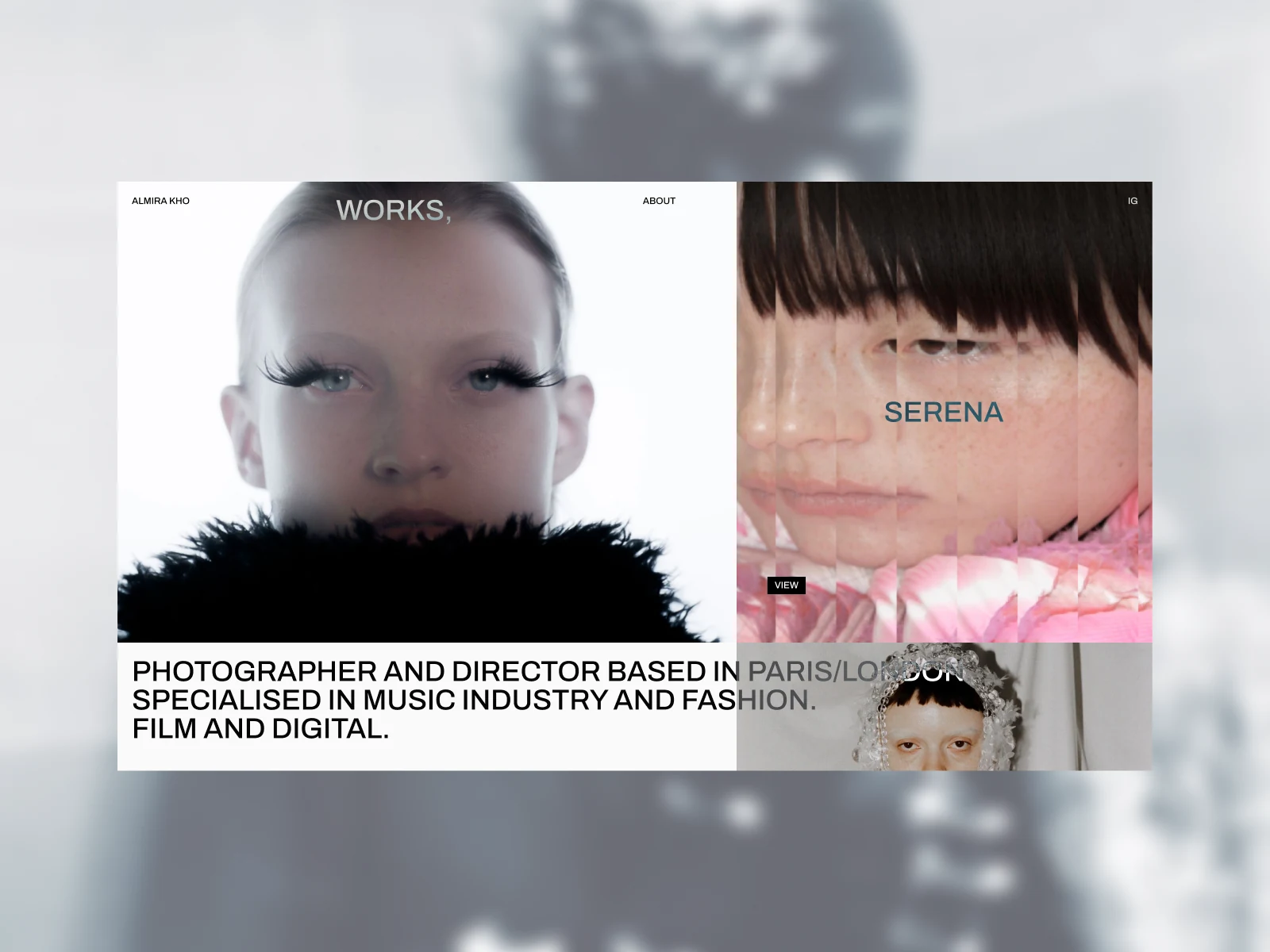
The Almira Kho reference above shows why photographic detail deserves a seat at the table: faces, fine hair and subtle tonal changes are part of the design. It does not tell us which format the live site serves or whether its loading performance is good. We have not audited it here.
On your own site, identify the element responsible for the slow first impression. A hero can remain late even after a useful reduction in bytes. Discovery, request scheduling and rendering can consume time too; Google’s LCP guidance explains those parts. Keep the before-and-after page conditions comparable.
Do not make the principal visible photograph wait for an unnecessary scroll trigger. Equally, do not give every thumbnail top priority. Agree which element matters on each template, verify its loading behaviour and preserve the other content the page needs. The aim is a coherent first screen, not a page full of images elbowing each other in the queue.
Measure the complete page after the change. Keep the test URL, device conditions, date and changed settings with the result. One lab score can help investigate a problem; it does not establish a future ranking, a field Core Web Vitals pass or extra sales.
Convert the catalogue in batches, with a way back
Before a bulk job, decide who owns the originals, where derivatives are generated and what happens to existing image URLs. Product feeds, email templates, downloaded documents and third-party integrations can use images outside the main theme. Include the important ones in the scope.
Agree which mechanism performs conversion. If the host, CDN and two plugins all claim the job, document the actual path before changing anything. A new automatic rule can leave a perfectly reasonable editor unable to understand which asset is being published.
WordPress provides the image_editor_output_format filter for output mappings. That is an implementation tool, not a complete migration plan. Decide separately how existing files, required sizes, delivery rules and recovery will be handled.
Start with a bounded category or template after the sample is approved. Keep a record of changed assets and the previous delivery settings. Check cards, galleries, zoom, mobile and relevant external uses. Stop the batch when a repeatable defect appears; resolving one cause is preferable to manufacturing the same mistake across the catalogue.
Conversion also needs operational room. Ask where the processing runs, whether uploads can queue and how failures are surfaced to an editor. Avoid scheduling a large regeneration alongside a busy promotional launch without agreeing who watches it and what triggers a stop.
What to ask an image optimisation service to deliver
A useful brief names the affected templates, the visible problem and the detail you must preserve. Include example page URLs and say whether the issue concerns the hero, product grids, galleries or editor uploads. You can begin that conversation without emailing passwords or a complete customer export.
Ask for an agreed sample, the selected delivery approach, documented exceptions and a controlled rollout. Acceptance should include the actual resource served on mobile, visual approval by the catalogue owner, a repeatable page check and a recovery route. Define what remains outside the work, such as a redesign, hosting migration or a full catalogue photography replacement.
Our WordPress image optimisation service follows that scope: establish the failing layer, agree the sample and check delivery before applying a broader batch. If the existing images are already efficient, the next useful change may be in the template or delivery rules rather than in the format.
Questions before choosing your 2027 image format
Should every WordPress image become AVIF?
No. Select it where the sample, publishing workflow and real delivery justify the change. Keep exceptions for assets that look worse, become heavier or need a different handling policy.
Will switching to AVIF improve SEO automatically?
A file-format change is not a ranking commitment. Check whether image delivery is the actual bottleneck and measure the complete page. Keep search outcomes separate from the technical acceptance of the work.
Do I need to replace all my existing image URLs?
Not necessarily. Ask how the chosen implementation handles original URLs, derivatives, caches and external references. Agree and test that behaviour before a bulk conversion.
Which format should I choose if I cannot maintain a complex setup?
Choose the approach your team can publish, check and recover reliably. An understandable workflow with slightly larger acceptable files can be a better operational decision than an elaborate setup nobody owns.